
Roshan Bhandari
Team Lead · Software Engineer · DevOps
Available for Projects
Three.js Object Sculptor is a Codex plugin that converts object images into code-only, procedural 3D models ready for web animation and real-time rendering.
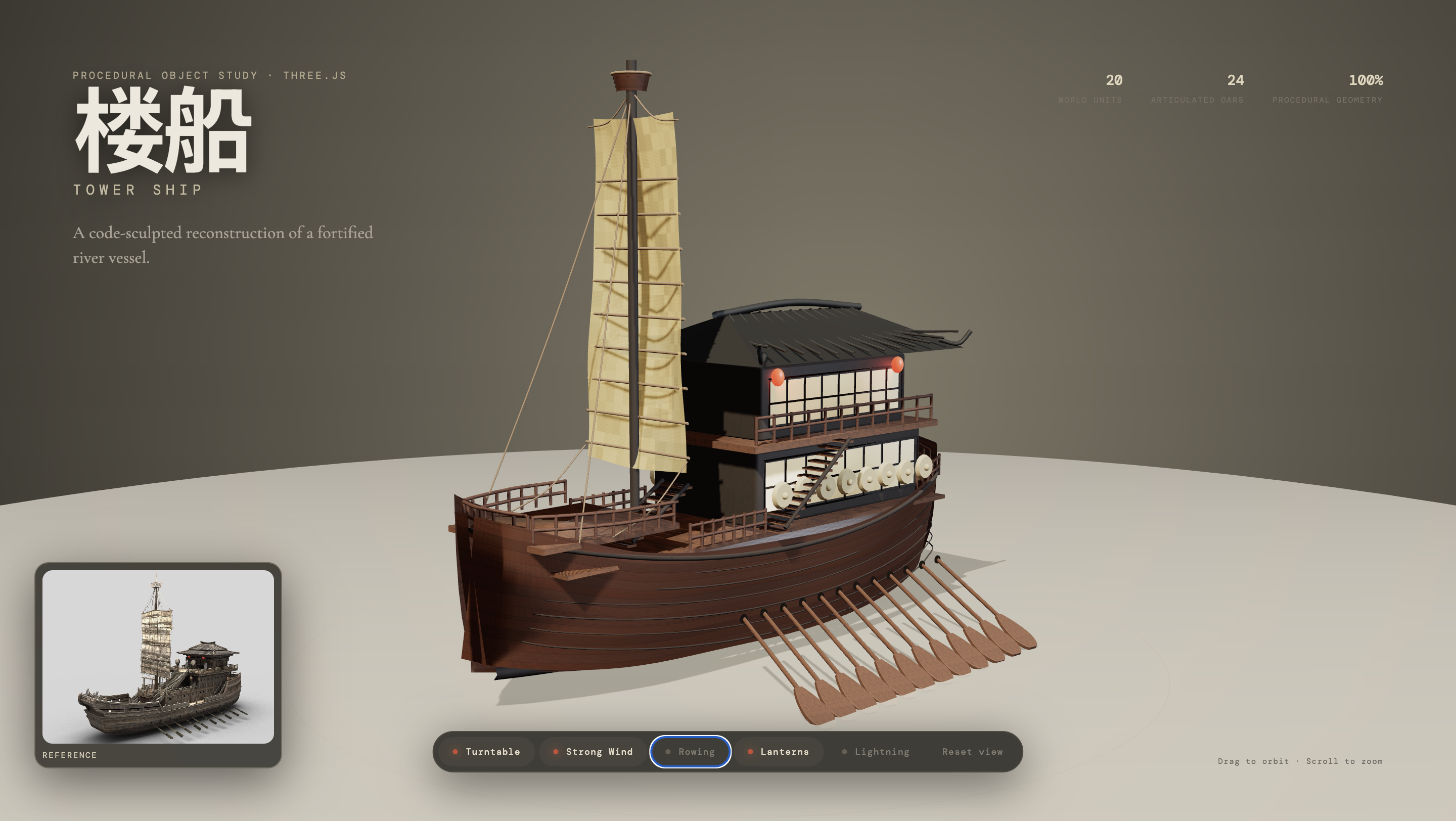
Transform any object image into clean, animation-ready Three.js code without manual 3D modeling. This Codex plugin bridges visual inspiration with programmatic 3D creation.
Three.js Object Sculptor is a specialized plugin for OpenAI's Codex that converts 2D images of objects into fully procedural Three.js models. Unlike photogrammetry tools that attempt to extract precise geometry from photographs, this tool takes a fundamentally different approach. It analyzes your reference image and generates Three.js code that reconstructs the object's essence—its shape, materials, and structure—using programmatic geometry.
The plugin doesn't produce static meshes or download pre-made assets. Instead, it creates code factories that generate 3D objects procedurally, meaning you can easily modify parameters, animate components, and integrate them seamlessly into web-based 3D applications. Think of it as having an AI assistant that understands both visual design and Three.js implementation, translating between the two automatically.
Built with Python, the tool integrates into the Codex ecosystem and follows a structured sculpting pipeline. It validates input images, assesses complexity, and guides the code generation through multiple passes: blockout, structural form, materials, lighting, and optimization. The result is clean, maintainable JavaScript that creates 3D objects ready for real-time rendering in browsers.
The plugin excels at creating objects that need to be both visually compelling and technically flexible. Game developers can generate stylized props and environment pieces that adapt to different art directions. Architectural visualization teams can quickly prototype furniture and decorative elements from reference photos. Educational projects benefit from procedurally-generated examples that demonstrate 3D concepts without requiring complex asset pipelines.
Key capabilities include:
Practical applications range from creating interactive product configurators to building dynamic game environments. The tower ship demo demonstrates mechanical object reconstruction with articulated parts, while the ancient autumn tree example shows how complex organic forms with branching structures and layered materials can be generated procedurally. Both examples showcase the tool's ability to handle vastly different object categories with appropriate technical approaches.
With nearly 1,000 stars, this repository resonates with developers exploring the intersection of AI-assisted development and creative coding. The tool addresses a genuine pain point: the gap between having a visual idea and implementing it in Three.js. Traditional workflows require either extensive 3D modeling skills or settling for generic stock assets.
What sets it apart is its focus on code quality rather than photorealistic reconstruction. Many AI image-to-3D tools promise perfect mesh extraction but deliver unusable geometry. Three.js Object Sculptor takes a pragmatic approach—generating clean, animatable code that captures the spirit of the reference while remaining technically sound. This resonates with developers who prioritize maintainability and integration over pixel-perfect replication.
The staged pipeline approach also appeals to technical artists and developers familiar with professional 3D workflows. By breaking generation into distinct phases (blockout, structure, materials, etc.), the tool produces more predictable results and provides clear checkpoints for quality control. This methodology mirrors how human artists approach complex 3D projects, making the AI-generated output feel more intentional and less random.
This tool serves web developers working with Three.js who want to accelerate their prototyping and asset creation workflows. You should have basic familiarity with JavaScript and Three.js concepts—the generated code integrates directly into existing projects, so understanding how to work with meshes, materials, and scene graphs will help you get the most value.
Ideal use cases include:
The tool works best with clear, well-lit reference images showing single objects against simple backgrounds. It excels at mechanical objects, architectural elements, and stylized organic forms. For photorealistic requirements or