
Roshan Bhandari
Team Lead · Software Engineer · DevOps
Available for Projects
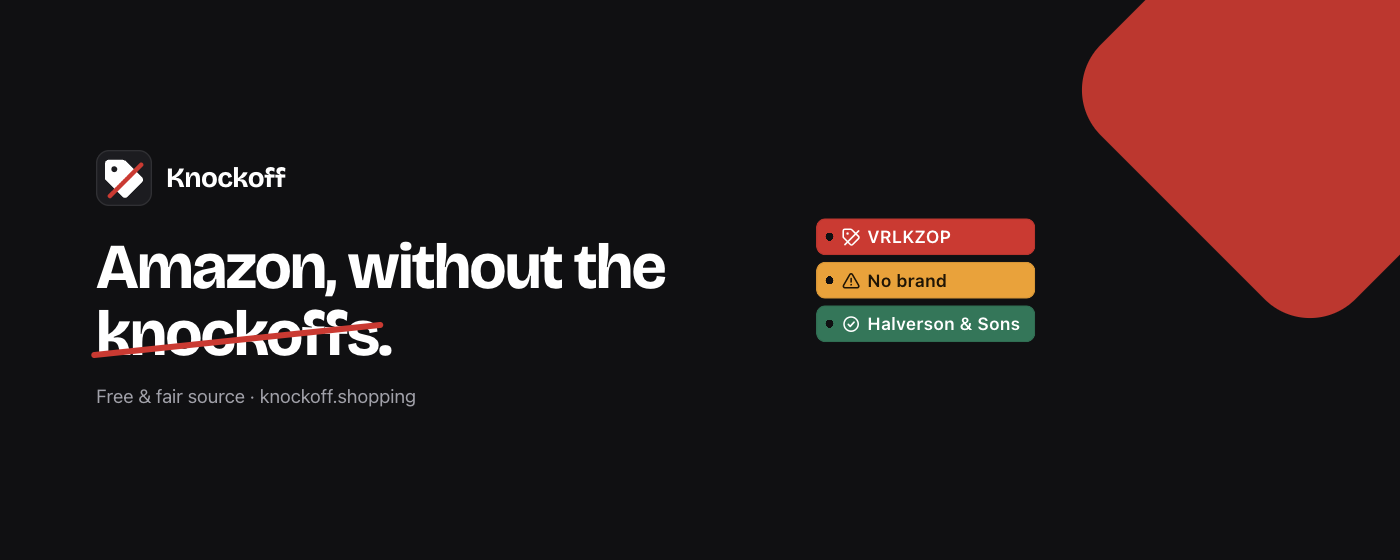
Shopping on Amazon has become a minefield of suspicious pseudo-brands. You know the ones: random strings of letters like SZHLUX, HORUSDY, or DOZAWA selling commodity goods with no real company behind them. These trademark-squatting sellers exploit Amazon's Brand Registry to appear legitimate, leaving consumers confused and potentially stuck with products that have no warranty or reputation to back them up. What if there was a way to filter out these knockoffs and focus only on brands you can trust?
Knockoff is a browser extension that acts as your personal shopping bouncer, standing guard at the entrance of Amazon's marketplace. It works by analyzing product listings in real-time and identifying suspicious pseudo-brands using a sophisticated detection pipeline. The extension doesn't just hide these listings—it can also dim them or add warning labels, giving you clear visual cues about which brands might be worth avoiding.
Unlike many shopping tools that rely on cloud services or user accounts, Knockoff operates entirely locally within your browser. There's no data collection, no tracking, and no server round-trips when you're browsing products. This means your shopping habits stay private while you get immediate feedback about product legitimacy.
The extension maintains several databases of known entities: a seed list of notorious pseudo-brands, established Chinese-owned brands, and a community-maintained list of approximately 5,000 recognized brands. This multi-layered approach ensures you're not just getting algorithmic guesses—you're getting curated intelligence about who's who in the Amazon ecosystem.
The extension's filtering pipeline works through five distinct checks. First, your personal allowlist ensures trusted brands always appear regardless of other flags. Second, your blocklist lets you permanently hide specific problematic sellers. Third, the seed list catches known pseudo-brands like those random-letter combinations that plague Amazon searches. Fourth, established Chinese brands are identified (with optional flagging based on your preferences). Finally, the known brands database helps highlight legitimate companies.
For everyday shoppers, this means cleaner search results and better purchasing decisions. When buying electronics, you won't accidentally click on a charger from "XYZPOWER" when you meant to buy from Anker or Belkin. For parents shopping for children's toys, it helps avoid potentially unsafe products from unknown manufacturers. For anyone buying tools, appliances, or household goods, it reduces the risk of purchasing from sellers who might disappear after the sale.
Developers and privacy-conscious users will appreciate that everything runs client-side. The extension's content script approach means no external API calls are made during your shopping session, and your browsing data never leaves your computer. This architecture also makes the extension fast and reliable—even when your internet connection is spotty.
With over 1,600 stars on GitHub and coverage in major publications like Fast Company, Gizmodo, and Lifehacker, Knockoff has struck a chord with frustrated online shoppers. The timing couldn't be better—as Amazon's marketplace has grown exponentially, so has the proliferation of these trademark-squatting sellers gaming the system.
The extension's viral growth reflects a genuine consumer pain point. People are tired of the uncertainty that comes with clicking on products from unfamiliar brands. The media attention has amplified this sentiment, with outlets highlighting how Knockoff restores confidence to the Amazon shopping experience. Users report feeling more secure about their purchases and appreciative of the cleaner, more trustworthy search results.
What sets Knockoff apart from similar tools is its transparency and local-first philosophy. Rather than being a black-box algorithm, users can see exactly how brands are flagged through the open-source codebase. The community-driven approach to maintaining brand lists also means the extension improves over time as more people contribute their knowledge about legitimate versus questionable sellers.
This extension is ideal for anyone who shops on Amazon regularly and values product authenticity. Whether you're a parent concerned about toy safety, a tech enthusiast wanting genuine accessories, or just someone who prefers dealing with established companies, Knockoff adds a layer of quality control to your shopping experience.
The tool requires minimal technical knowledge to use—install it from your browser's extension store and it just works. However, developers and advanced users can customize the experience through allowlists, blocklists, and even contribute to the brand databases. The open-source nature means you can audit exactly what data is being used and how decisions are made.
It works across all Amazon marketplaces globally, making it useful whether you're shopping on Amazon.com, Amazon.co.uk, or any other regional variant. Privacy advocates will appreciate that no personal information is required, and the local processing means you're not trading privacy for protection.
Installing Knockoff is straightforward, whether you want the stable release or need to run it for development:
1. Clone this repo
2. Open chrome://extensions
3. Turn on Developer mode (top right)
4. Click Load unpacked and select the repo folder
For Safari users, the process involves opening the Xcode project in the safari directory and running the Knockoff scheme, then enabling the extension through Safari's settings. Remember to sync changes between the main extension files and the Safari build using the provided script if you're modifying functionality.
For the full setup guide, see the official repository.