
Roshan Bhandari
Team Lead · Software Engineer · DevOps
Available for Projects
Complete guide to running powerful language models on local hardware. Learn optimal GPU setups, PCIe configurations, and Docker deployments for privacy-focused AI.
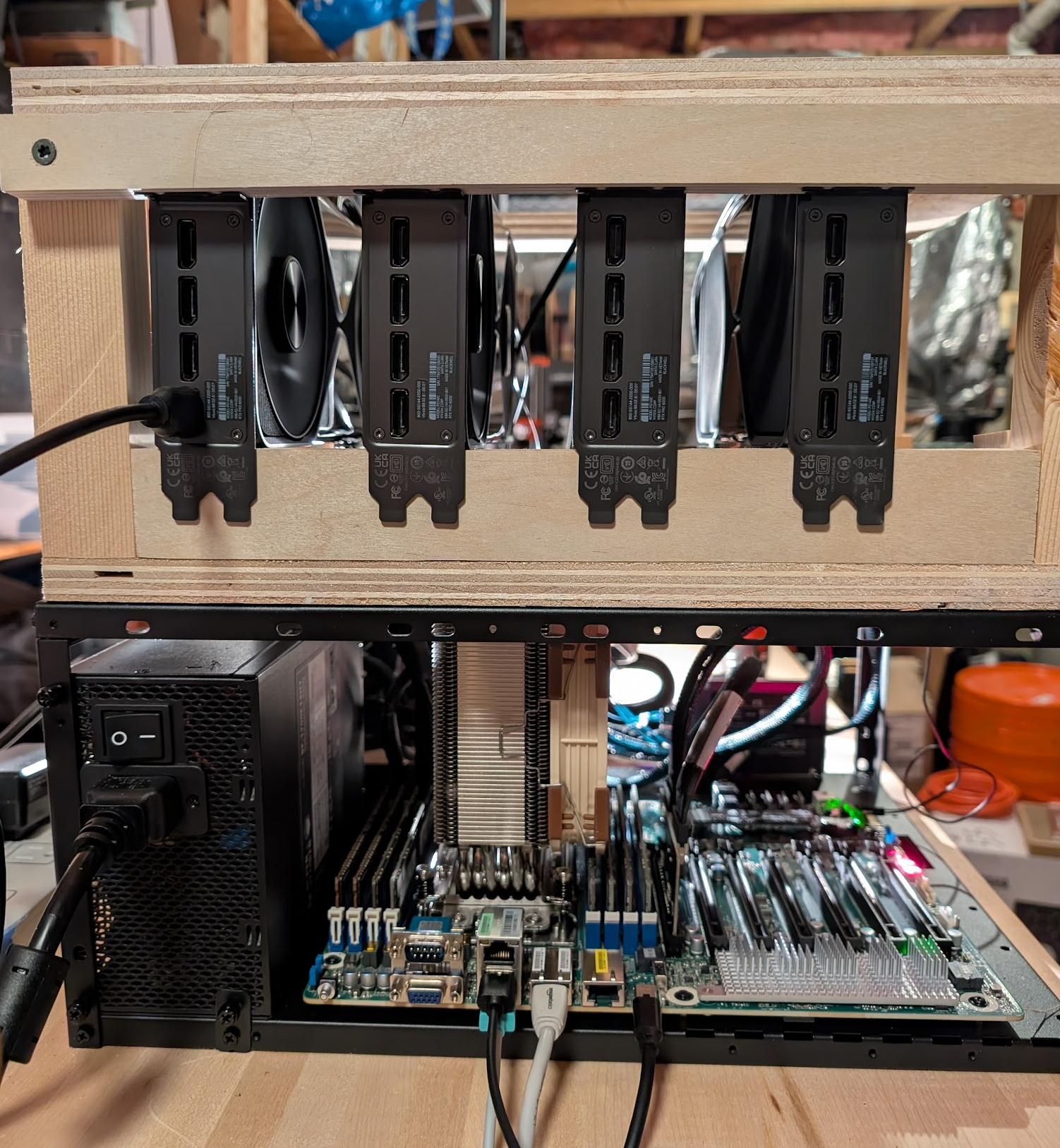
Large language models no longer require cloud subscriptions or API calls. This repository provides battle-tested configurations, hardware recommendations, and deployment strategies for running state-of-the-art AI entirely on local infrastructure—from budget builds to enterprise-grade rigs.
The local-llm repository is a comprehensive collection of knowledge and ready-to-use configurations for deploying large language models on personal hardware. Unlike typical tutorials that focus on toy examples, this project tackles real-world challenges: multi-GPU setups, PCIe topology optimization, power management, and achieving performance comparable to cloud providers.
The author shares their actual hardware build—including sourcing components off eBay to save costs—and documents the quirks discovered along the way. You'll find everything from BIOS settings that prevent GPU hangs to Docker Compose files that spin up production-ready model serving in minutes. Whether you're concerned about data privacy, want to eliminate recurring costs, or simply enjoy the technical challenge, this guide shows you how to make local LLMs work at scale.
This repository excels in several practical areas:
Developers can use this to build private chatbots, research assistants, code generators, and voice transcription services without ever sending data to external APIs. The configurations are particularly valuable for organizations with compliance requirements around data handling.
The repository resonates with developers for several reasons. First, it addresses a genuine pain point: the complexity of running LLMs locally has historically been prohibitive. While cloud APIs are convenient, they come with privacy concerns, rate limits, and recurring costs that many users want to avoid.
Second, the author's approach is refreshingly pragmatic. Rather than chasing the latest hardware, they focus on cost-effective solutions—sourcing last-generation server components and eBay RAM to build powerful systems at reasonable prices. The inclusion of "little-known secrets" and specific BIOS tweaks suggests hard-won experience that saves others from common pitfalls.
Third, the community response reflects growing interest in self-hosted AI. With 800+ stars, developers are clearly hungry for practical, tested configurations rather than theoretical guides. The repository's emphasis on real performance metrics (27.5/50.4 GB/s throughput, sub-microsecond latency) demonstrates tangible results that inspire confidence.
This resource primarily serves intermediate to advanced developers and system administrators who want to deploy LLMs in production environments. You should have:
It's particularly valuable for:
The repository fits well into the broader self-hosted AI ecosystem, complementing projects like Ollama and llama.cpp with production-focused configurations and hardware-specific optimizations.
The author provides clear paths depending on your budget: