
Roshan Bhandari
Team Lead · Software Engineer · DevOps
Available for Projects
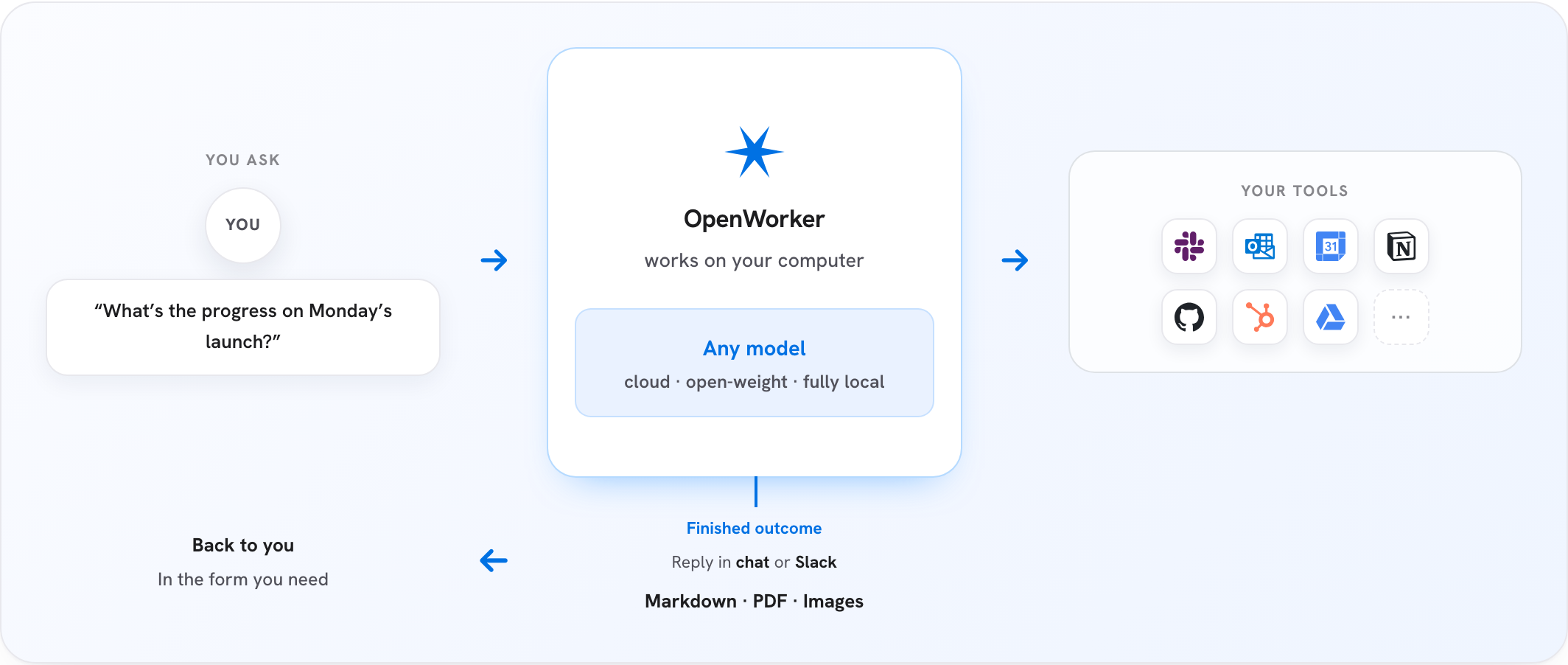
In the crowded landscape of AI assistants that stop at conversation, OpenWorker takes a different approach. Instead of generating ideas you still need to execute, it actually does the work—producing finished documents, updating your calendar, triaging emails, and connecting to your existing tools to deliver tangible results.
OpenWorker is an open-source desktop application that puts an AI coworker directly on your computer. Unlike web-based chatbots, it operates locally and integrates deeply with your filesystem, terminal, and connected services. You describe an outcome—"prepare a customer brief," "untangle my calendar," or "draft a report"—and it breaks the task into actionable steps, executes them using your tools and chosen AI model, and delivers completed work for you to review and share.
The key distinction is agency. Rather than waiting for you to copy-paste suggestions, OpenWorker actively works within your digital environment. It can read your local files, execute terminal commands, and connect to over 25 third-party services including Slack, GitHub, Jira, Notion, Gmail, and Google Calendar. Before taking consequential actions like sending messages or modifying calendars, it seeks your approval, maintaining human oversight while automating the busywork.
OpenWorker shines in scenarios where traditional AI assistants fall short. Consider these practical applications:
@OpenWorker in any Slack channel to spawn a session on your desktop. The AI processes your request using your local tools and responds directly in the thread.Because it runs on your machine and uses your API keys, OpenWorker maintains strict data privacy. Your information doesn't leave your computer except through the specific model and integrations you explicitly configure.
With over 3,800 GitHub stars, OpenWorker is gaining rapid traction for several compelling reasons. First, it addresses a genuine pain point: developers and knowledge workers are tired of AI tools that generate ideas but require manual execution. OpenWorker delivers finished products, not to-do lists.
Second, the open-source nature combined with vendor-neutral AI support resonates strongly with privacy-conscious users. You can bring your own API keys for OpenAI, Anthropic, Google, or switch to fully local models via Ollama—all without being locked into a specific ecosystem. This flexibility, paired with the ability to extend functionality through the Model Context Protocol (MCP), creates an adaptable tool that grows with your needs.
Third, the desktop-first approach appeals to professionals who live in their file systems and terminal. Rather than forcing workflows into a browser interface, OpenWorker meets users where they already work. The community response has been enthusiastic, with contributors praising both the practical utility and the clean architecture built on the aisuite framework.
OpenWorker targets developers, technical professionals, and power users who spend significant time juggling multiple tools and services. If you regularly work across Slack, GitHub, email, calendars, and local files, OpenWorker can consolidate and automate much of that context-switching.
The ideal user has:
It fits naturally into developer workflows, startup operations, consulting practices, and any environment where producing polished deliverables quickly matters. The Python-based agent server also makes it extensible for users comfortable with coding, while the native GUI keeps it accessible to less technical team members.
Getting up and running with OpenWorker is straightforward:
For the full setup guide, see the official repository.