
Roshan Bhandari
Team Lead · Software Engineer · DevOps
Available for Projects
Wardrobe uses OpenAI's vision and image APIs to automatically detect, extract, and organize garments from photos into a searchable digital closet.
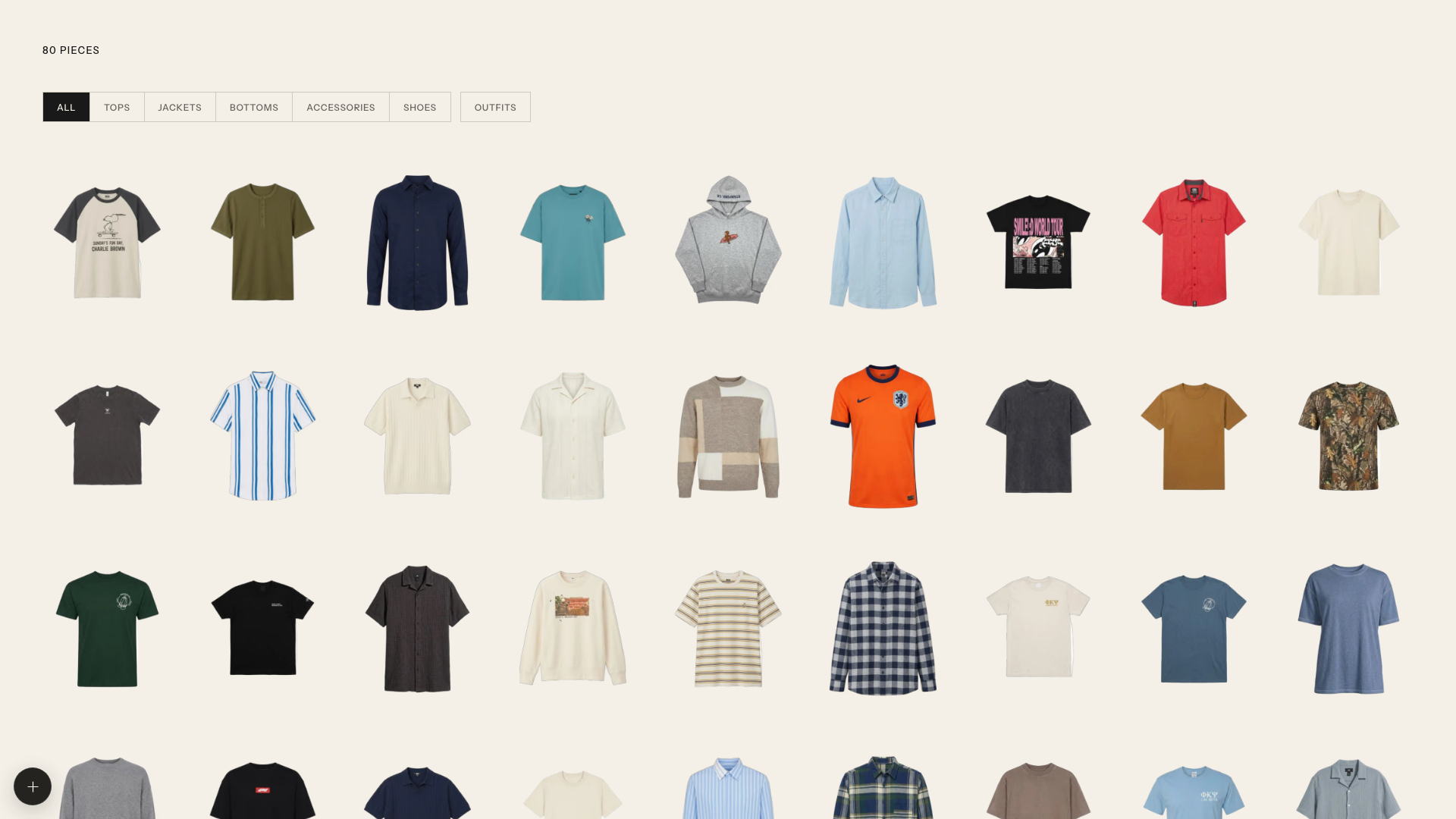
Taking photos of your clothes just got a lot more useful. This tool transforms your wardrobe snapshots into an organized, searchable digital closet using cutting-edge AI.
Wardrobe is a JavaScript application that leverages OpenAI's vision and image generation capabilities to create your personal digital closet. Simply feed it photos of your garments, and it automatically detects each piece, extracts clean product cutouts, and even generates modeled previews showing how items look when worn.
The magic happens through two core AI processes: first, the OpenAI Responses API identifies and catalogs every garment in your photos; then, the Images API creates professional-looking cutouts that isolate each clothing item from backgrounds. All your original photos, processed images, and organized data stay stored locally in the data/ directory as JSON files and image assets.
Unlike traditional wardrobe apps that require manual photo uploads and tagging, Wardrobe automates the tedious work. It's like having a personal stylist and inventory manager rolled into one, powered by some of the most advanced computer vision models available today.
Automatic garment detection eliminates the need for manual tagging. Point the system at a photo of your closet or a pile of clothes, and it identifies each distinct garment with impressive accuracy. This is particularly valuable for users with large wardrobes who want to catalog their collection without spending hours on data entry.
Clean product extraction removes backgrounds and creates uniform cutouts, making your digital wardrobe look like a professional fashion catalog. These clean images are perfect for visual planning and sharing outfit combinations with friends or stylists.
Modeled previews generate editorial-style images showing garments on a model (using your reference photo), helping you visualize how pieces work together before trying them on. This feature is especially useful for online shoppers who want to see how potential purchases coordinate with existing items.
Developers can extend Wardrobe to build smart shopping assistants, outfit recommendation engines, or inventory management systems for retail applications. Fashion bloggers might use it to quickly catalog and showcase their daily looks, while personal users can finally organize that digital hoard of outfit photos taking up space on their phones.
With over 1,100 stars in just weeks, Wardrobe has captured developer attention for several reasons. First, it demonstrates practical applications of OpenAI's newest image models in ways that feel immediately useful to everyday users. The intersection of fashion and AI has long been a promising field, but Wardrobe shows concrete results rather than theoretical concepts.
The tool's integration with OpenAI's Codex AI agent system adds another layer of sophistication. Users can simply type natural language commands like "$import-clothes Import the clothes from ~/Pictures/outfits" and let the AI handle the entire process. This agent-based workflow represents the cutting edge of AI-assisted development tools.
Community reaction has been enthusiastic because Wardrobe solves a real problem: most people take photos of clothes they like or own, but those images sit unused in camera rolls. By transforming this existing behavior into organized, actionable data, Wardrobe provides immediate value that users can see and appreciate.
Fashion-conscious developers will appreciate how Wardrobe bridges creative and technical interests. It's built with modern JavaScript practices and offers a playground for experimenting with OpenAI's latest APIs. The codebase serves as an excellent reference for integrating vision and image generation models into practical applications.
Personal users with sizable wardrobes who struggle with organization will find immediate value. Whether you're a parent trying to track kids' clothing sizes, a traveler wanting capsule wardrobe planning, or someone who simply owns too many clothes to remember everything, Wardrobe creates order from chaos.
Fashion professionals and content creators can use Wardrobe to streamline their workflow. Instead of manually photographing and editing product shots, they can process entire collections in minutes. The modeled preview feature is particularly valuable for social media content creation.
The tool requires Node.js 22+ and an OpenAI API key, making it accessible to developers familiar with modern JavaScript tooling. Basic comfort with command-line interfaces and environment configuration is helpful for getting started.
bash
git clone https://github.com/tandpfun/wardrobe.git
cd wardrobe
npm install
cp .env.example .env
npm run dev
Before the importer activates, add your OPENAI_API_KEY to the .env file and place a reference photo at data/model-reference.png. Once configured, open localhost:5173 to launch the web interface.
For the full setup guide, see the official repository.